Most websites cannot list their own cookies
Analytics tags, ad pixels, chat widgets and embedded videos all set cookies, and most of them were added by someone who has since moved teams. A cookie that identifies a person is personal data under the Digital Personal Data Protection Act, 2023, so setting it needs consent that is free, specific and informed.
A banner with a single OK button does not give you that. You need to know what runs on the site, let the visitor choose by category, and be able to show what each person chose and when.
What the Cookie Consent module does
Automated cookie scanner
Scan a page or the whole site. The scanner reports cookies, localStorage, sessionStorage, IndexedDB and third-party scripts.
Four clear categories
Findings are sorted into Essential, Functional, Analytics and Marketing. You can correct a category when you know better than the scanner.
A banner that matches your site
Choose a modal, a bottom banner or a slide-in, then set colours, fonts and position. It works on desktop, tablet and mobile.
22 Indian languages
Visitors can read the banner in any Schedule 8 language, including right-to-left scripts such as Urdu, Kashmiri and Sindhi.
A record for every choice
Each decision is stored with a timestamp and a Consent ID (CNST-XXXX) that carries no personal data. Returning visitors are not asked again.
Works with Google Tag Manager
Install with one script tag, directly or through Google Tag Manager. No change to your application code.
How it works
Scan your website
Enter your domain. Consently crawls the site and lists what it sets in the browser, sorted by category.
Review and design the banner
Check the cookie list, fix any category, then pick the banner style and languages.
Paste one script tag
Add the snippet to your site or to Google Tag Manager. The banner goes live for every visitor.
Watch the records come in
The dashboard shows accept and reject rates by device and location, and every individual record is searchable.
Inside the dashboard
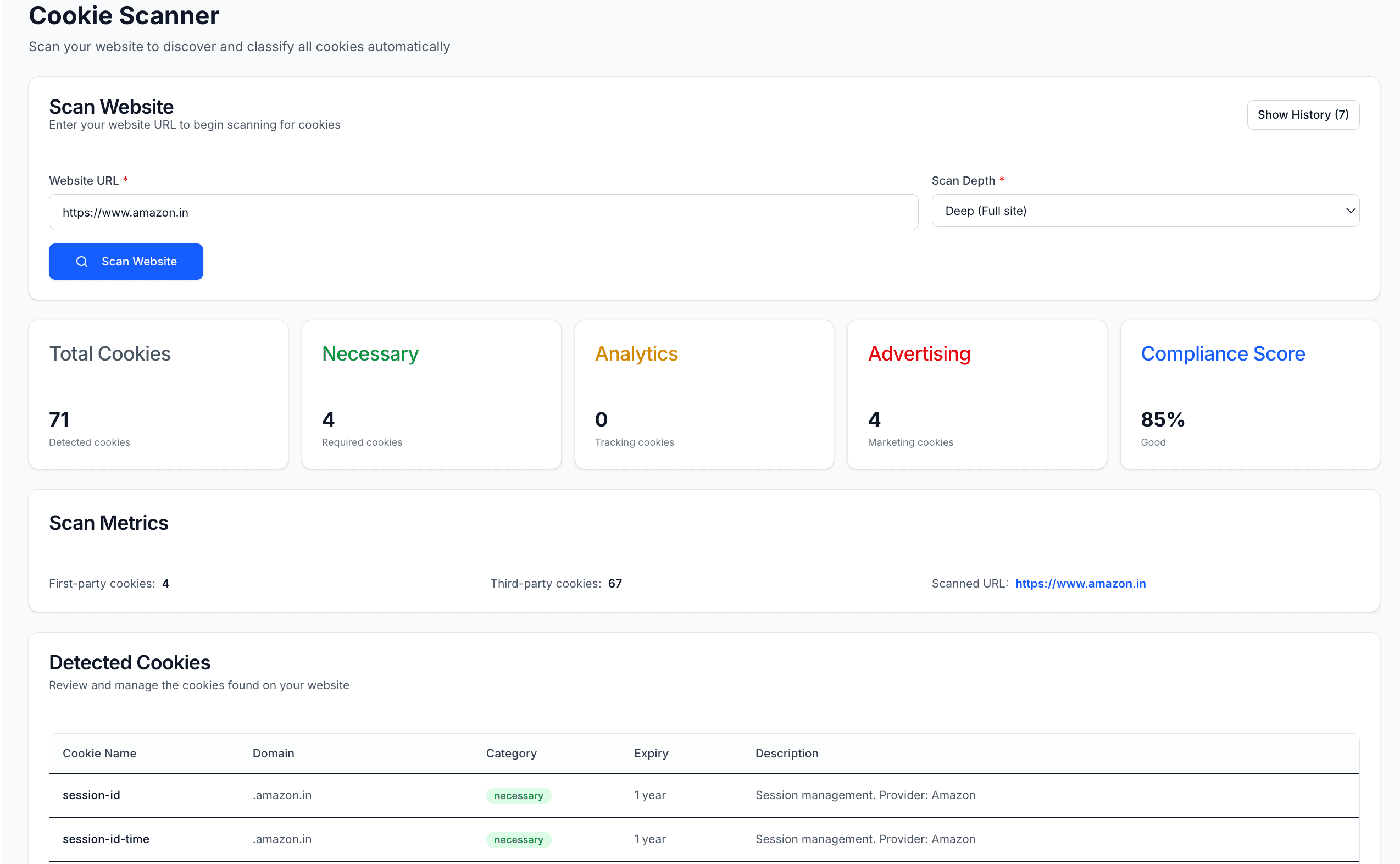
The scanner lists what your site sets, sorted by category. 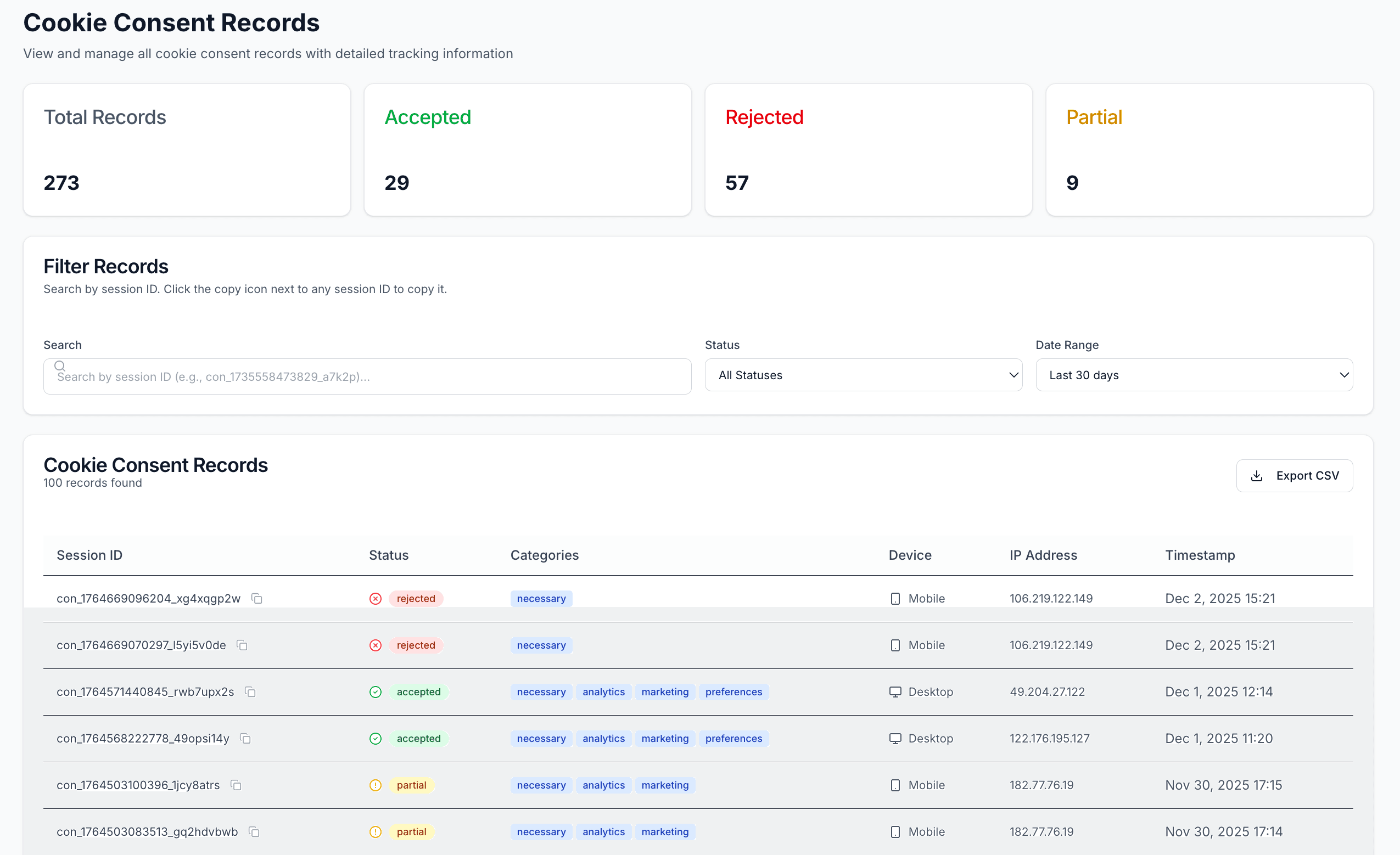
One record per visitor choice, each with its Consent ID.
Questions teams ask
Does the DPDP Act cover cookies?
The Act does not use the word, but it covers any data about an identifiable person. Cookies and similar identifiers used for analytics or advertising usually meet that test, so they need notice and consent like any other personal data.
How long does installation take?
The widget is one script tag. Most teams scan, review the list and go live the same day.
What happens when a visitor comes back?
Their earlier choice is remembered, so the banner does not appear again. They can reopen their preferences at any time and change them.
Can I change how a cookie is categorised?
Yes. The scanner proposes a category for each finding and you can override it from the cookie list in the dashboard.
The other modules
DPDPA Consent
Purpose-by-purpose consent with the notice the DPDP Act asks for.
Rights Management
Receive, verify, assign and answer data principal requests.
Breach Management
Log a breach, track the 72-hour clock, prepare the Board reports.
Vendor Management
A register of every third party that handles your users' data.