A single checkbox is not consent under the DPDP Act
Section 6 of the Digital Personal Data Protection Act, 2023 asks for consent that is free, specific, informed, unconditional and unambiguous, given for a stated purpose. Section 5 requires a notice describing the data and the purpose, available in English or any language listed in the Eighth Schedule of the Constitution.
Withdrawing must be as easy as giving. That means a form with "I agree to the terms" is not enough: you need purposes, a notice, a record of each decision and a working way to withdraw.
What the DPDPA Consent module does
Processing activities and purposes
Describe each activity, the purposes inside it and the data it uses. Start from industry templates for e-commerce, healthcare, finance, SaaS, education and government.
Granular consent
People accept or decline each purpose separately. Saying yes to order updates does not switch on marketing.
Notice in 22 languages
The consent notice is shown in any Schedule 8 language, with translation powered by Bhashini.
Consent ID
Each person gets a Consent ID (CNST-XXXX) that carries no personal data and works across their devices.
Preference Centre
A self-service page where people see what they agreed to, change or withdraw each consent, and download their history.
Consent records
Every grant, change and withdrawal is stored with its time. Search by Consent ID, or export the records as CSV or PDF.
How it works
Define your processing activities
Pick a template for your industry or write your own, and list the purposes under each activity.
Configure the consent widget
Choose which activities appear on which site, set the look, and select the languages for the notice.
Install one script tag
The widget shows the notice and collects a decision for each purpose on your website.
Answer questions with records
When a customer, auditor or the Board asks what someone agreed to, look it up by Consent ID.
Inside the dashboard
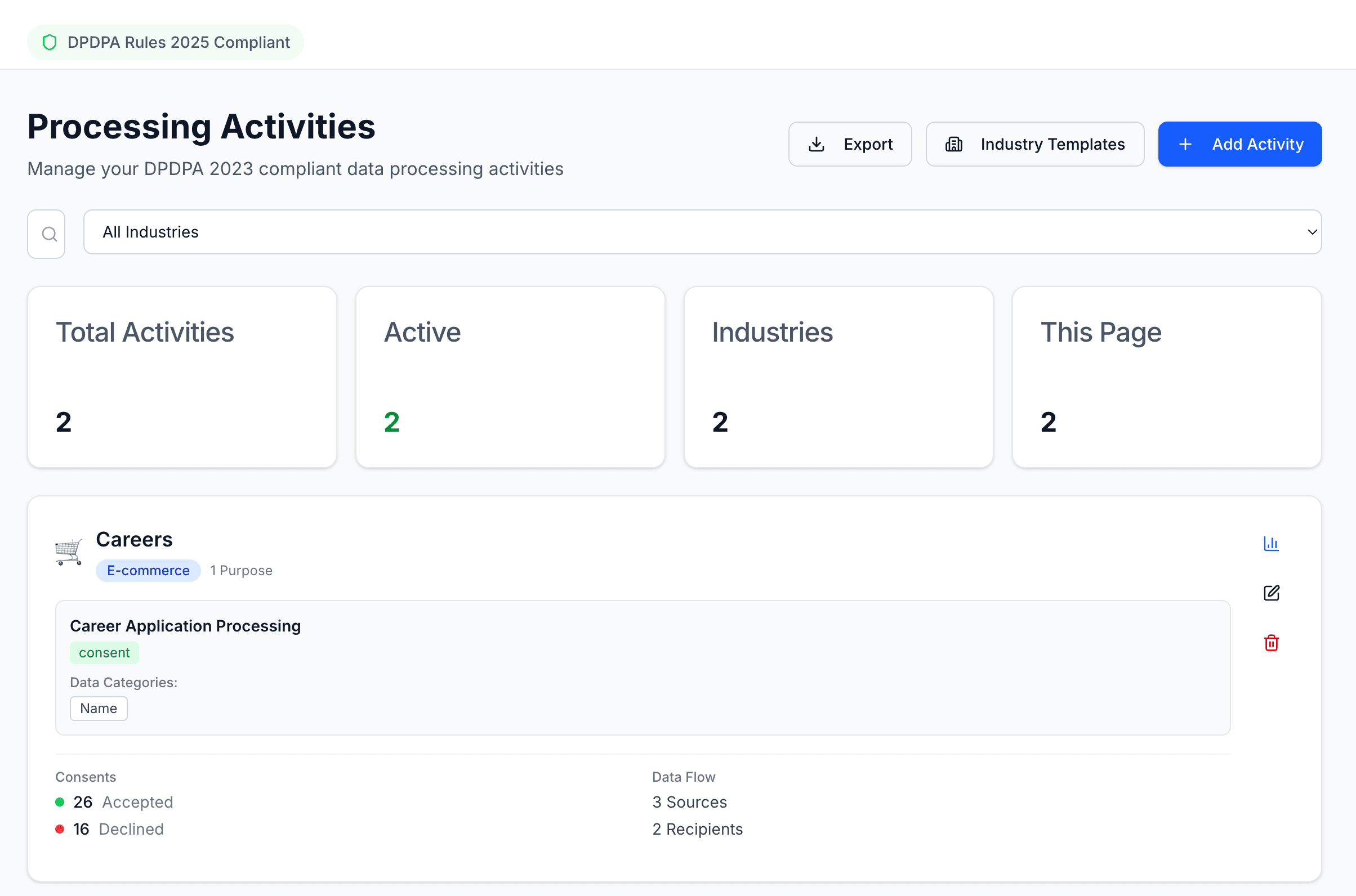
Processing activities and the purposes inside each one. 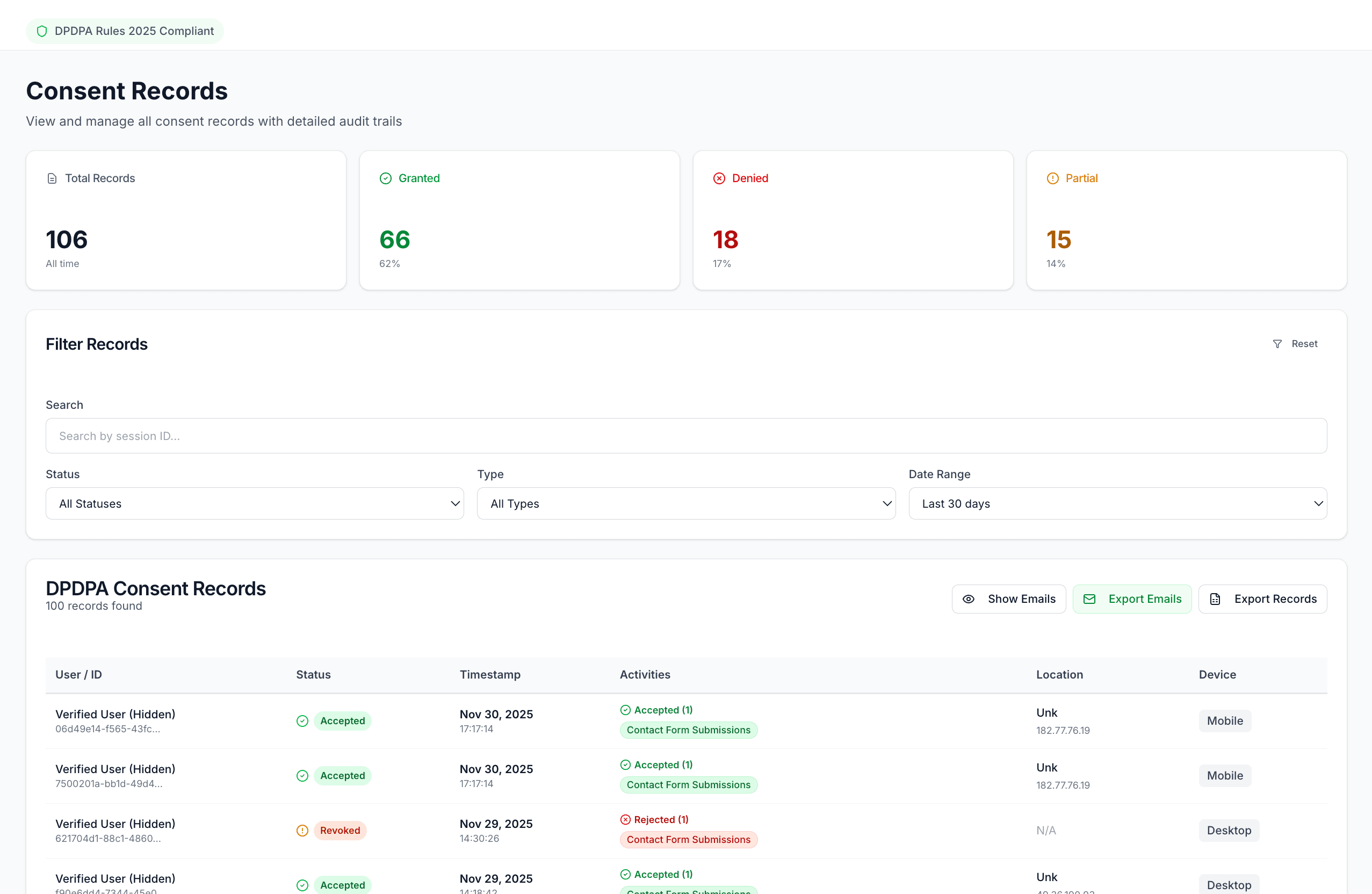
Every consent decision, searchable by Consent ID.
Questions teams ask
How is this different from the cookie banner?
The cookie banner covers what your website stores in the browser. DPDPA Consent covers the purposes you process personal data for, such as sending marketing messages or sharing data with a delivery partner. Many businesses need both, and they run side by side.
Can someone withdraw consent later?
Yes. The Preference Centre shows each consent they gave and lets them withdraw any of them. The withdrawal is recorded like the original consent.
Does the Consent ID contain personal data?
No. It is a random identifier in the format CNST-XXXX. It lets a person find their own preferences without Consently storing their name in the identifier.
Which languages are supported?
English and all 22 languages in the Eighth Schedule of the Constitution, including Hindi, Bengali, Tamil, Telugu, Marathi, Gujarati, Kannada, Malayalam, Punjabi, Odia, Assamese and Urdu.
The other modules
Cookie Consent
Scan your site, show a banner, keep a record of every choice.
Rights Management
Receive, verify, assign and answer data principal requests.
Breach Management
Log a breach, track the 72-hour clock, prepare the Board reports.
Vendor Management
A register of every third party that handles your users' data.